
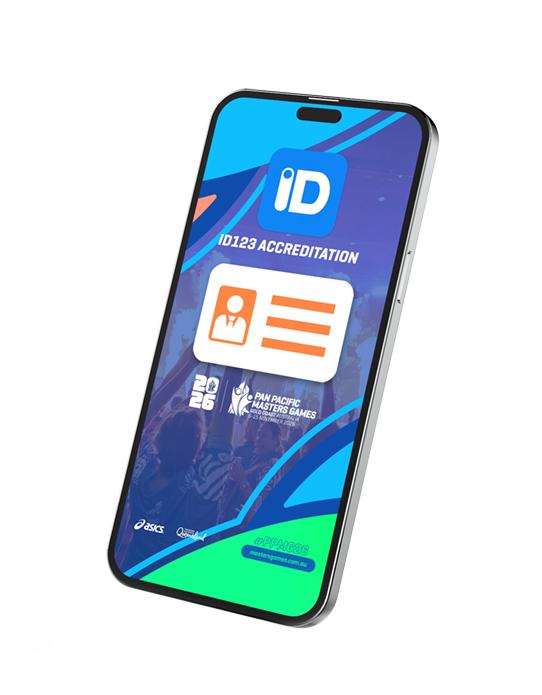
Your guide to digital accreditation for the 2026 Pan Pacific Masters Games
ID123 What is it?
ID123 is a digital identity app that will be used to distribute and host your 2026 Pan Pacific Masters Games accreditation.
You will be required to download ID123 to your smart mobile device and load your digital accreditation. This will be required for use during the event for access to your sport competition, entertainment and to access our Legend-ary deals.
The ID123 invitation email will be sent Tuesday 20 October 2026 to the email you used to register for the 2026 Pan Pacific Masters Games.
Follow the steps below to setup your 2026 PPMG accreditation
Invitation email sent 20th October 2026
Installing your 2026 Pan Pacific Masters Games Digital ID

1. Email invitation
Receive your email invitation from Pan Pacific Masters Games on the 20th October 2026.
Invitation email sent 20th October 2026

2. Install ID123 App
Follow the step-by-step instructions on your email to install your card from the app.
Invitation email sent 20th October 2026

3. Activate
Enter your PPMG Confirmation Code and unique 4-digit access code provided in your invitation email.
Invitation email sent 20th October 2026

4. Upload your photo
Once you have access to your PPMG ID, please upload a photo to complete the process.
Invitation email sent 20th October 2026

5. Allow push notifications
Please “allow” push notifications to be notified for any sport or games updates.
Invitation email sent 20th October 2026
How to install ID123
Step 1: Download the ID123 App
You will receive an email from ID123 on our behalf containing your accreditation access.
This will be sent on Tuesday 20 October to the email address you used to register for the Pan Pacific Masters Games.
Please click on the link provided from your mobile device. You will be directed to download the ID123 App from either the App Store or Google Play Store.
Step 2: Install your Digital Accreditation
Once the app is installed on your smart phone, please open the app and tap “Install my Card”
To access your Accreditation, please insert your PPMG Confirmation Code and unique 4-digit access code. These will be provided to you in your invitation email from ID123.
Your codes are unique to your entry, please do not share them with anyone else.
Once you have access to your Accreditation, please upload a photo to complete the process. Please ensure the photo is of yourself and of exact likeness, photos will be approved by our admin team and used for access throughout the games. ID checkers have the right to refuse entry to competition and entertainment where the photo does not match the person presenting it.
Please “allow” push notifications to be notified for any sport or event updates.
Congratulations! You now have your accreditation and can access the Pan Pacific Masters Games and all the benefits that go along with it.
NO ACCREDITATION, NO PLAY!

Why are we going digital?
The transition to digital accreditation brings a range of benefits including athlete convenience, waste reduction, enhanced athlete identification and easier entry to events.
Still want to show off to the Gold Coast that you are competing at the Pan Pacific Masters Games or add to your collection?
You can order a PPMG26 keepsake lanyard and card (while stocks last) to compliment your sport uniform and night-time attire when registering.
Already registered? Add via your change details portal login.
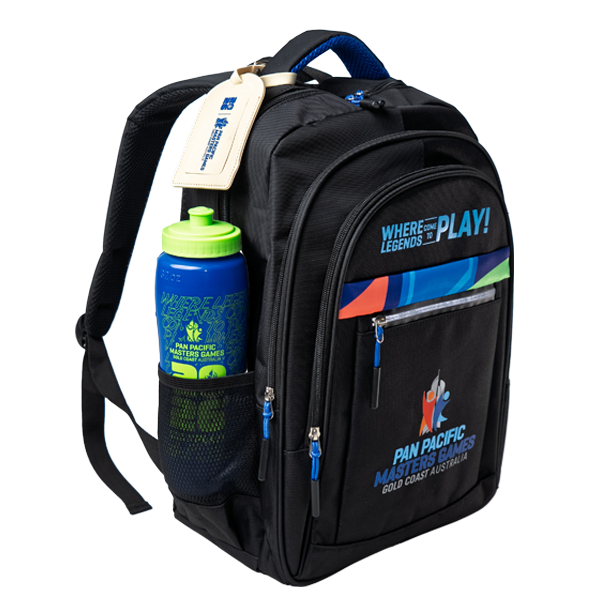
Collecting your PPMG Gift
Your PPMG26 Gift will be available for collection at Pan Pacs Central (PPC)!
Join us between 6-8 November to visit the Health and Wellness Hub with dynamic activations and get your gift early to use throughout the week!
Frequently Asked Questions
Please check your junk/promotions folder. If nothing here, please contact us on info@mastersgames.com.au or 07 5668 9888 to check your email is correct.
Please visit the Help Desk at Pan Pacs Central to obtain a physical accreditation, this will be printed on A4 paper for you use throughout the games.
Please visit the Help Desk at Pan Pacs Central or contact us on info@mastersgames.com.au or 07 5668 9888 to check your entry.
A photo will assist the PPMG team and Sport Convenors to ensure the correct competitor is taking the field of play.
Please open your ID123 app and select the 3 dots on the bottom right of the page. Select Card Information and Edit Card. Update your photo and resubmit for review.
Alternatively, please visit the Help Desk at Pan Pacs Central or contact us on info@mastersgames.com.au or 07 5668 9888 to re-set your photo.
Please open your ID123 app and select the 3 dots on the bottom right of the page. Select Card Information and Edit Card. Update your photo and resubmit for review.
Alternatively, please visit the Help Desk at Pan Pacs Central or contact us on info@mastersgames.com.au or 07 5668 9888 to re-set your photo
Terms and Conditions
- Your accreditation is required for access to competition and entertainment during the Pan Pacific Masters Games event period.
- Accreditation must display a current photograph that clearly identifies the accreditation holder. Once uploaded, the photograph cannot be amended or replaced.
- Accreditation passes cannot be captured by screenshot, distributed, or shared. Each participant is required to present their own accreditation pass.
- Each device may contain only one participant identity; therefore, every participant must have access to their own device.
Contact Us
Phone: 07 5668 9888
Email: info@mastersgames.com.au